— Network Server Integration —
CDE Sync™ + Network Servers.
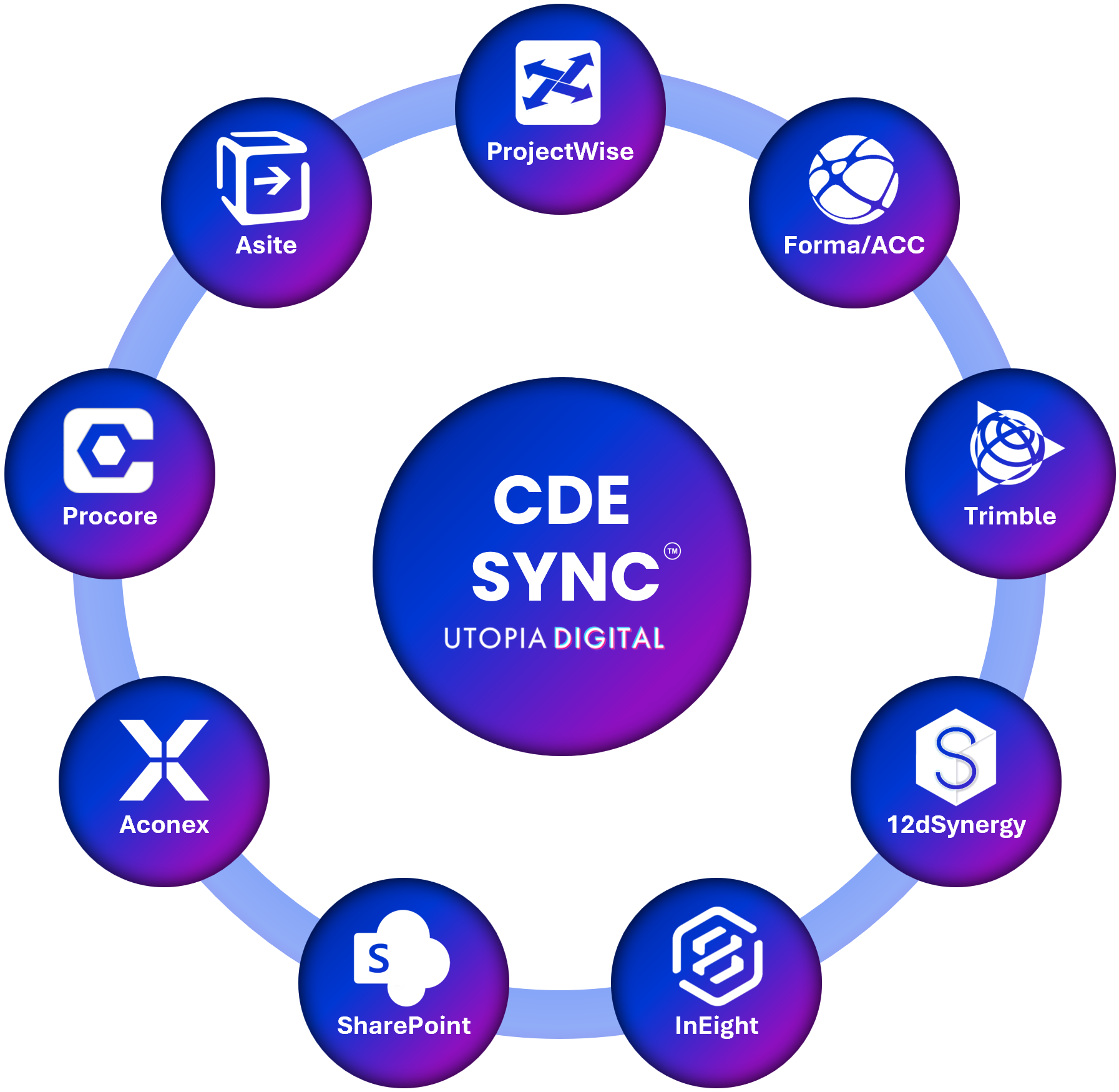
CDE Sync™ connects together all of your AECO industry CDE platforms.
CDE Sync™ automates model, document and metadata synchronisation, in 15mins - no code required.
Click above for CDE Sync™ media resources.
Overview:
Many project teams and asset owners still rely on an on-premises network server – a local file share, NAS, or mapped network drive – to store models, documents and project data, particularly where connectivity, data sovereignty, or security classification rules out a fully cloud-hosted CDE.
CDE Sync™ connects your network server to every other CDE platform your project uses, so a file approved or updated on the server is automatically reflected across your connected CDEs, and vice versa – without anyone manually copying, renaming or re-tagging files between systems.
For organisations retiring a network server entirely – moving from local file storage to a cloud CDE for good – CDE Migrate™ handles the one-time transition, preserving folder structure, version history, metadata and audit trails.
Who it's For:
IT Teams, Document Controllers, Information Managers, Digital Engineering Teams, and Project Managers running a network file server alongside a cloud-based CDE.
Key Capabilities
Synchronises files, folder structures and metadata between your network server and any connected CDE
Maintains version history integrity as files move between local storage and cloud platforms
Auto-maps folder structures and file metadata – naming conventions, revision codes, classification – to the target platform's schema
Supports on-premises, VPN-connected and hybrid network environments, including air-gapped and classified network configurations
Well suited to archiving, backup, cold storage and disaster recovery scenarios outside the primary CDE
Pairs with Issues Sync™ for cross-platform issue tracking where the network server holds supporting documentation
How It Connects:
CDE Sync™ connects to your network server through a lightweight, secure Sync Agent installed within your organisation's network. The Agent uses an outbound-only HTTPS connection to Microsoft Azure – no inbound firewall rules, VPN exposure, or public endpoints are required – configured through CDE Sync™'s no-code wizard, using a dedicated service account with read and/or write access scoped to the folders in sync.
This outbound-only model is designed for organisations that cannot expose a network server to the public internet, including SOCI Act-regulated critical infrastructure projects across rail, energy, water and defence.
Also syncs with:
Autodesk Forma (BIM360/ACC), Bentley ProjectWise, Microsoft SharePoint, Procore, Oracle Aconex, 12d Synergy, Asite, InEight, Trimble, Bluebeam, Egnyte, Dalux, RIB, Network Servers, and Azure Blob.
Security:
Built on Microsoft Azure and hosted in your choice of data region to meet residency and sovereignty requirements, see our Global Data Regions map. SOC 2 Type II certified, full detail on our Security & Trust Portal.
SOC 2 Type II certified
Cyber Essentials certified
Zero file persistence – data streams between your network server and the target CDE, and is never stored or cached
Outbound-only connection from your network, minimising attack surface for classified and on-premises environments
Full audit logging of every file and metadata change for traceability and compliance
FAQs:
Can a network server be a primary CDE endpoint?
> Yes. A network server can act as a primary source or destination for a sync, or as a secondary archive and backup location alongside your main CDE – whichever fits how your project uses it.
Does our network server need a public IP address or open inbound ports?
> No. The Sync Agent initiates an outbound-only HTTPS connection from within your network, so no inbound firewall rules or public exposure are required.
Is bidirectional sync supported?
> Yes. Files and metadata can sync in either direction between your network server and any connected CDE, depending on how the sync is configured.
Can CDE Sync™ be used with air-gapped or classified networks?
> The outbound-only Sync Agent model is designed to fit high-security and classified network environments, including SOCI Act-regulated critical infrastructure projects. Speak with our team about your specific network architecture.
What if we want to retire our network server completely?
> CDE Migrate™ provides a one-time migration from your network server to a cloud CDE, preserving folder structure, version history, metadata and audit trails.
— Connected CDEs —